Vidu Q4: Make a Video from Up to 12 Reference Images
Vidu Q4 builds a scene from your own references — characters, products and locations — and keeps them consistent for up to 16 seconds, in resolutions up to 4K. Here's how it works in GOGUL and how to write a prompt that uses it well.
GOGUL team4 min read
Try it on your own idea in GOGUL.
Try Vidu Q4Key facts
| Reference images, up to | 12 |
|---|---|
| Voice clips, up to | 3 |
| Clip length | 3–16 s |
| Max resolution | 4K |
Vidu Q4 is a video model by Shengshu, now available in the GOGUL Video generator. Its strength is references: you can give it up to 12 images and up to 3 voice clips, tag each one in your prompt, and the model keeps every subject and voice consistent through the clip.
What is Vidu Q4?
Vidu Q4 generates video in three ways:
- Reference — the main mode. Combine up to 12 images (a person, a product, a location) and up to 3 voice clips into one scene.
- Image to Video — animate a single image as the first frame.
- Text to Video — describe the scene and generate it without references.
Clips run from 3 to 16 seconds, in 540p, 720p, 1080p, 2K or 4K. Five aspect ratios are available: 16:9, 9:16, 1:1, 4:3 and 3:4. With sound switched on, the model adds dialogue and sound effects; sound does not change the price.
How do references work in Vidu Q4?
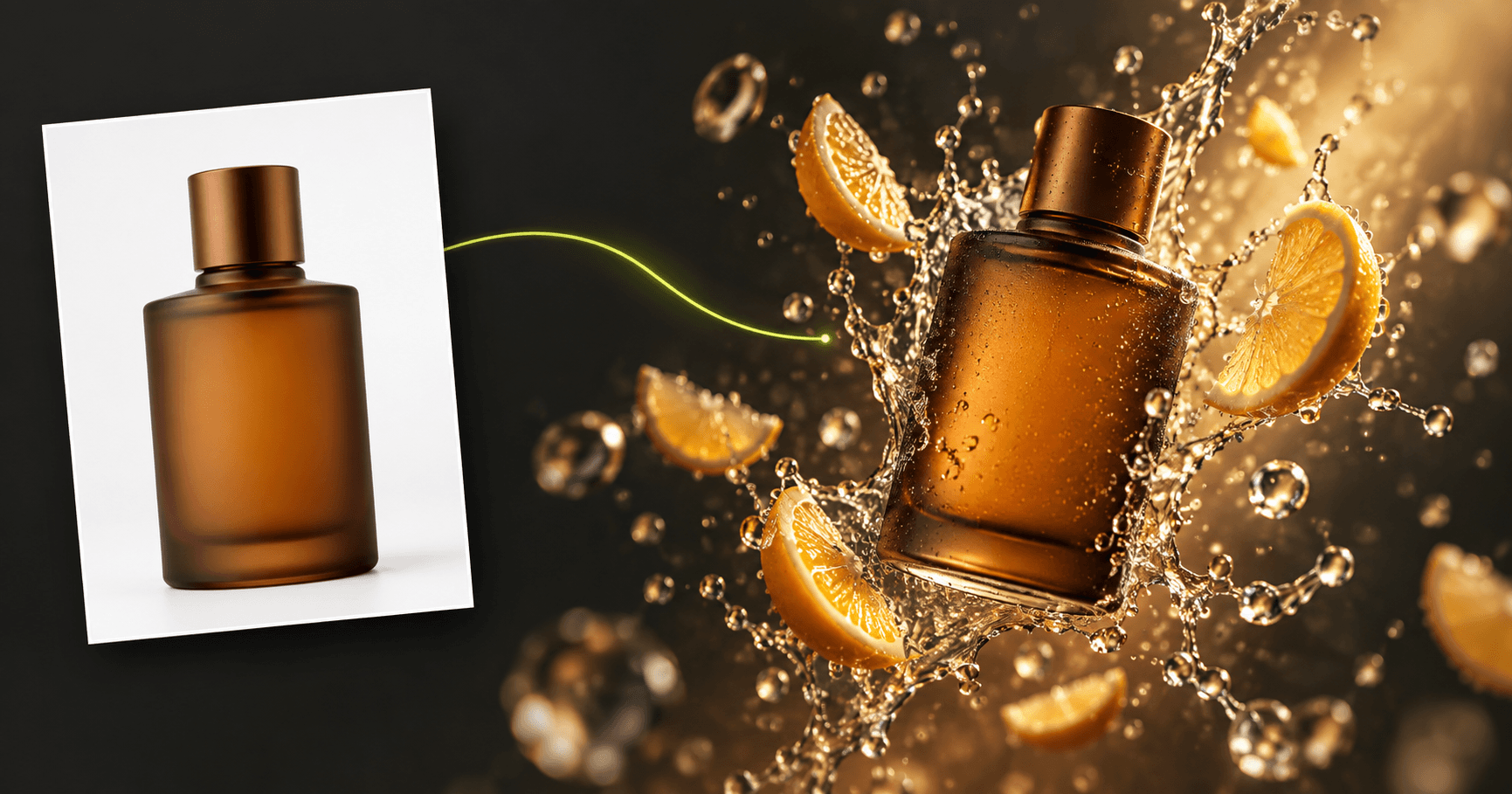
Every image you upload gets a tag: @Image1, @Image2 and so on, in the order you added them. Use those tags in the prompt to say who or what goes where. For example, @Image1 can be a person, @Image2 a product and @Image3 a location.
Voice clips work the same way: upload an MP3 of 3–12 seconds, and refer to it as [Audio1] to make a character speak in that voice. Voice references are optional — without them, Vidu Q4 picks a voice itself.
Keep each reference clean: one subject per image, good light, the important details clearly visible. Describe what the subjects do in the prompt rather than how they look — the images already define the appearance.
How do I make a video with Vidu Q4 in GOGUL?
- Open the Video generator and choose Vidu Q4.
- Select Reference mode.
- Upload your images (up to 12) and, if you want a specific voice, up to 3 MP3 clips.
- Write the prompt and tag each reference with @Image1, @Image2 or [Audio1].
- Pick the duration, resolution and aspect ratio, check the price on Generate, and create.
Planning a longer story? Break the script into shots with Script to Storyboard first, then generate each shot.
How much does Vidu Q4 cost in GOGUL?
Vidu Q4 is priced per second of video, and sound is included:
| Resolution | Credits per second | 5-second clip |
|---|---|---|
| 540p | 12 | 60 |
| 720p | 25 | 125 |
| 1080p | 31 | 155 |
| 2K | 49 | 245 |
| 4K | 100 | 500 |
On the Free plan, Vidu Q4 is available in 540p for clips up to 5 seconds. 720p, 1080p, 2K and longer clips open from the Starter plan; 4K opens from Pro. See pricing for plan details.
Prompt you can copy
Swap in your own references and dialogue, then generate:
[0–3s] Wide shot: @Image1 walks into a bright modern coffee shop with large windows and plants on the shelves, the camera tracking alongside. Sounds: door chime, soft footsteps, quiet café chatter. [3–6s] Medium shot: she picks up @Image2 from the counter and takes a sip, steam rising, shallow depth of field. Sounds: cup clinking on a saucer, espresso machine hissing. [6–8s] Close-up: she looks at the camera and says: "Best coffee in town." Soft daylight on her face, background gently blurred.
Timed blocks like [0–3s] help the model place each action. Keep one main action per block and describe the camera movement — Vidu Q4 handles dynamic shots well.
Tips for better results
- Fewer, better references. Twelve slots are available, but each image should earn its place. Start with two or three and add more only when the scene needs them.
- One reference, one role. Don't combine a person and a product in a single image — give each its own slot and tag.
- Check details at full size. Faces, product labels and logos are the first things to compare with your references.
- Change one thing at a time. If a result misses, adjust a single instruction and generate again, so you can see what made the difference.
Only use photos and voices of people who have given you permission.
Prompt → result
Prompt
[0–3s] Wide shot: @Image1 walks into a bright modern coffee shop with large windows and plants on the shelves, the camera tracking alongside. Sounds: door chime, soft footsteps, quiet café chatter. [3–6s] Medium shot: she picks up @Image2 from the counter and takes a sip, steam rising, shallow depth of field. Sounds: cup clinking on a saucer, espresso machine hissing. [6–8s] Close-up: she looks at the camera and says: "Best coffee in town." Soft daylight on her face, background gently blurred.
Vidu Q4 · Reference · 720p · 8 s · Audio on
How to get started
- Open Video and choose Vidu Q4
- Select Reference and upload your images and voice clips
- Tag them in the prompt with @Image1 and [Audio1]
- Check the price on Generate and create
FAQ
- Is Vidu Q4 available on the GOGUL Free plan?
- Yes. On the Free plan you can generate Vidu Q4 clips in 540p up to 5 seconds long. Higher resolutions and longer clips open from the Starter plan, and 4K from Pro.
- How many reference images can I use with Vidu Q4?
- Up to 12 images and up to 3 voice clips in one generation. Tag them in the prompt as @Image1, @Image2 and [Audio1].
- How long can a Vidu Q4 video be?
- From 3 to 16 seconds per clip.
- Does sound cost extra?
- No. Native sound with dialogue and effects is included in the price per second.
- Can I make a person speak in my own voice?
- Yes. Upload an MP3 voice clip of 3–12 seconds and refer to it as [Audio1] in the prompt.